iPhoneAndroidover the cable
Get your photos off your phone. Already named by date.
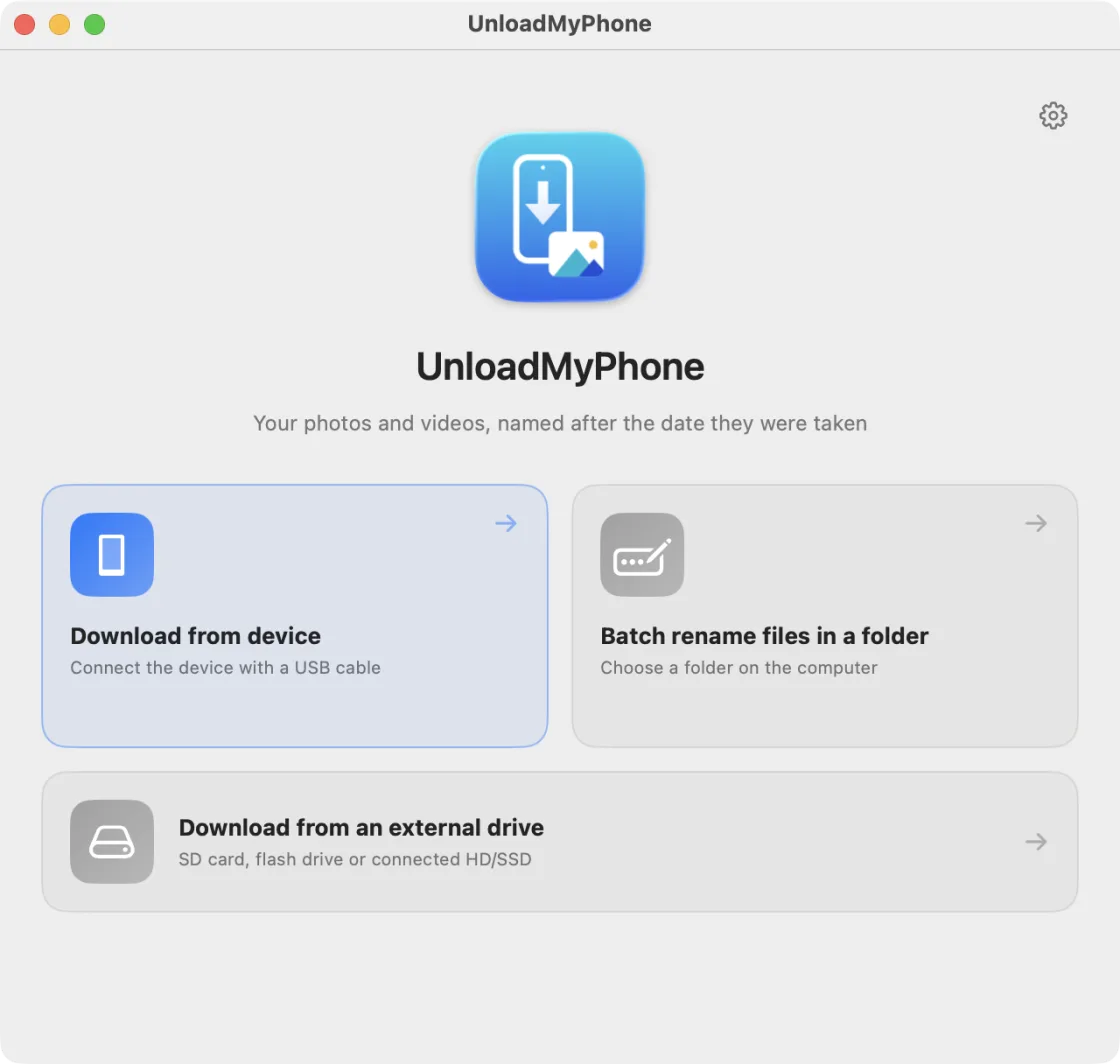
Plug in your iPhone or Android, pick what to bring over and confirm. Every photo and video ends up on your Mac named with the day and time it was taken.
It copies; it doesn't delete. It only frees up space on your phone if you ask — and only after confirming the copy arrived intact.
For Macs with Apple silicon or Intel, running macOS 13 or later. On Windows? There's a PC version.
The date comes from the photo itself: the moment you pressed the shutter, not the day it was copied. Sort by name and you're sorted by when it happened.
A full phone, photos with no real names, and the fear of deleting the wrong one.
-
Storage almost full
Years of photos and videos filling up the phone, and no simple way to get them onto the computer.
-
IMG_4821.JPG · IMG_4822.JPG · IMG_4823…
Copy them to your Mac and everything becomes a meaningless number stamped with today's date. Last year's trip gets lost among yesterday's snapshots.
-
What if I delete and lose them?
Freeing up space is scary when you're not sure the copy worked. So the photos stay, and the phone stays full.
How it works
Three steps, none of them technical.
No new account, no cloud, nothing to install on the phone. Just the cable you already have.
-
Plug in your phone
iPhone or Android, over the USB cable — the app lets you know as soon as it sees the device. Memory cards, flash drives and external hard drives work too.
-
Pick what to bring over
Everything, just photos, just videos, or only what's new since last time. You see every file first, and whether it fits on your Mac before you start.
-
Find everything in order
On your Mac, every file carries its date and time in the name. If you prefer, the app sorts them into folders by day, month or year.
Features
What it does for you.
-
iphone + androidBoth, in one app
One of each at home? You don't need two programs.
-
sd · flash drive · hddMemory cards, flash drives, hard drives
Your camera's photos and that old hard drive get the same tidy-up.
-
2024/07/14Date folders, if you want them
By day, month or year, or everything together in one folder.
-
since last timeOnly what's new
Next time, it can tick only the photos you haven't brought over yet.
-
no overwritingNo photo ever overwrites another
Two photos in the same second? Each gets its own name. If a file is already on your Mac, the app asks.
-
heic → jpegiPhone photos that open anywhere
If you want, it converts them to the everyday photo format every computer and website accepts.
-
mac folder ↺Tidies what's already on your Mac
Point it at a messy folder and it's back in date order. Don't like it? Undo it right away.
-
opens at loginWaits quietly in the menu bar
Opens when your Mac starts, if you like, and lets you know when a phone is plugged in.
Folders by year and month: one of the ways to organize.
Safety
It only clears your phone if you ask. And only after the copy checks out.
Freeing up space is the scary part. So the app is built the other way round: copying is the default, and deleting is your call, with a safety net.
Off by default: the app only copies.
-
Your photos on the phone
Nothing changes on it while you choose.
-
Copied to your Mac
Each file is copied to the folder you chose.
-
Checked
The app checks the copy arrived whole.
-
Frees up the space
Only then, and only what was checked, leaves the phone.
Only if you turn it on
- Deleting from the phone is off by default. Unless you turn it on, the app only copies.
- If a copy fails, that photo stays on the phone. Nothing disappears halfway.
- Using iCloud Photos on your iPhone? The app warns you first: deleting from the phone deletes from the cloud too.
- Tidied a folder on your Mac and didn't like the result? One button undoes it, right after.
Privacy
Your photos never leave home.
These are your family's photos. They go from the cable straight into your folder, and they stay there.
Read the privacy policy- Nothing gets uploaded. None of your photos, videos or file names leave your computer or get shared.
- No new account. On a Mac, you subscribe with your Apple Account. On Windows, with a key sent to your email.
- Nobody watching. No tracking, no ads.
- Not here either. This website doesn't use cookies or trackers. Only the Windows purchase page loads Paddle's checkout.
Mac
Try it free for 7 days, on the monthly or the yearly plan.
Mensal
R$ 6,90/mês
Anual
R$ 49,90/ano
A subscription that renews automatically, through your Apple Account. Cancel anytime; cancel at least 24 hours before the trial ends and you pay nothing. Prices vary by country; the App Store shows yours, in your currency, before you confirm. Details in the subscription terms.
Download on theMac App Store- Mac with Apple silicon or Intel
- macOS 13 or later
- Your phone's USB cable
Windows
On a Windows PC, too.
An app built for Windows, with the same care: it gets photos and videos off your phone over the cable, already named by date, and only clears the device if you ask.
-
iPhone
Over the cable, the iPhone hands over its camera roll: photos and videos. It needs Apple's driver; if it's missing, the app tells you and helps you fix it.
-
Android
Choose “File transfer” in the phone's USB notification. If it's only charging, the app shows you how to switch.
-
Cards, flash drives, hard drives
Copies from SD cards, flash drives and external HDDs or SSDs, with the same tidy-up by date.
-
Folders on your PC
Batch renames a folder that's already on your computer. Don't like it? You can undo it right after.
Photos stored only in iCloud, with “Optimize Storage” turned on in the iPhone, don't show up over the cable. None of your photos, videos or file names leave your computer.
Common questions
Does it work with iPhone and Android?
Yes, both. On an iPhone, just unlock it and tap “Trust” the first time. On Android, choose “File transfer” when the phone asks what the USB connection is for. If you forget, the app shows you how.
Will it delete the photos on my phone?
Only if you ask it to. The option to delete from the device after copying is off by default. If you turn it on, the app only deletes what it has confirmed arrived intact on your Mac — and if a copy fails, that photo stays on the phone. On an iPhone, deleted items go to the Recently Deleted album in Photos, and the space only comes back once it's emptied (or after about 30 days).
Do I need an internet connection?
Not for copying: everything happens between the cable and your Mac, and none of your photos, files or data are sent over the internet. The internet only comes in for the App Store: to subscribe, renew your subscription and download updates.
On Windows, not for copying either, and none of your photos, videos or file names leave the PC. The internet is used to activate the subscription, confirm it from time to time (the app does this on its own) and download updates. Offline, the app keeps working for up to 45 days. Details in the privacy policy.
Does it work with memory cards, flash drives or external hard drives?
Yes. Connect your camera's card, a flash drive or a hard drive and choose “Download from an external drive”. Photos come out named by date, just like from a phone, and you can keep the original folders or reorganize them by date.
Which Macs does it run on?
Any Mac running macOS 13 (Ventura) or later, with Apple silicon or Intel. To check your version, open the Apple menu › About This Mac.
How much does it cost on a Mac?
On the Mac App Store, as a subscription: 7 days free, then monthly or yearly, renewing automatically. Cancel anytime; cancel at least 24 hours before the trial ends and you pay nothing. Prices vary by country; the App Store shows yours, in your currency, before you confirm.
You buy it with your Apple Account, and you cancel in its settings. Details in the subscription terms.
Does it work on Windows? How much is it?
Yes, with its own app for 64-bit Windows 10 and 11 (Intel or AMD processor; it doesn't run on ARM PCs). It's sold on this website as a yearly subscription: US$7.99 a year (R$ 49.90 in Brazil, plus IOF), renewing automatically. Before subscribing, you get a 7-day trial with the full app, no card needed. One subscription works on up to 3 computers.
Payment is handled by Paddle, our reseller, and you cancel in the app itself (Settings › Subscription › Manage subscription) or at paddle.net, without talking to anyone; the subscription stays valid until the end of the paid period. The Windows subscription is separate from the Mac one. It isn't sold in the European Union, the European Economic Area or the United Kingdom yet. Details in the terms and on the purchase page.